
Lare prepares. You decide.

Family life, finally organised.

Turn school emails, photos and voice notes into events, tasks and reminders. Check what Lare found, then approve what belongs in your family's plan.

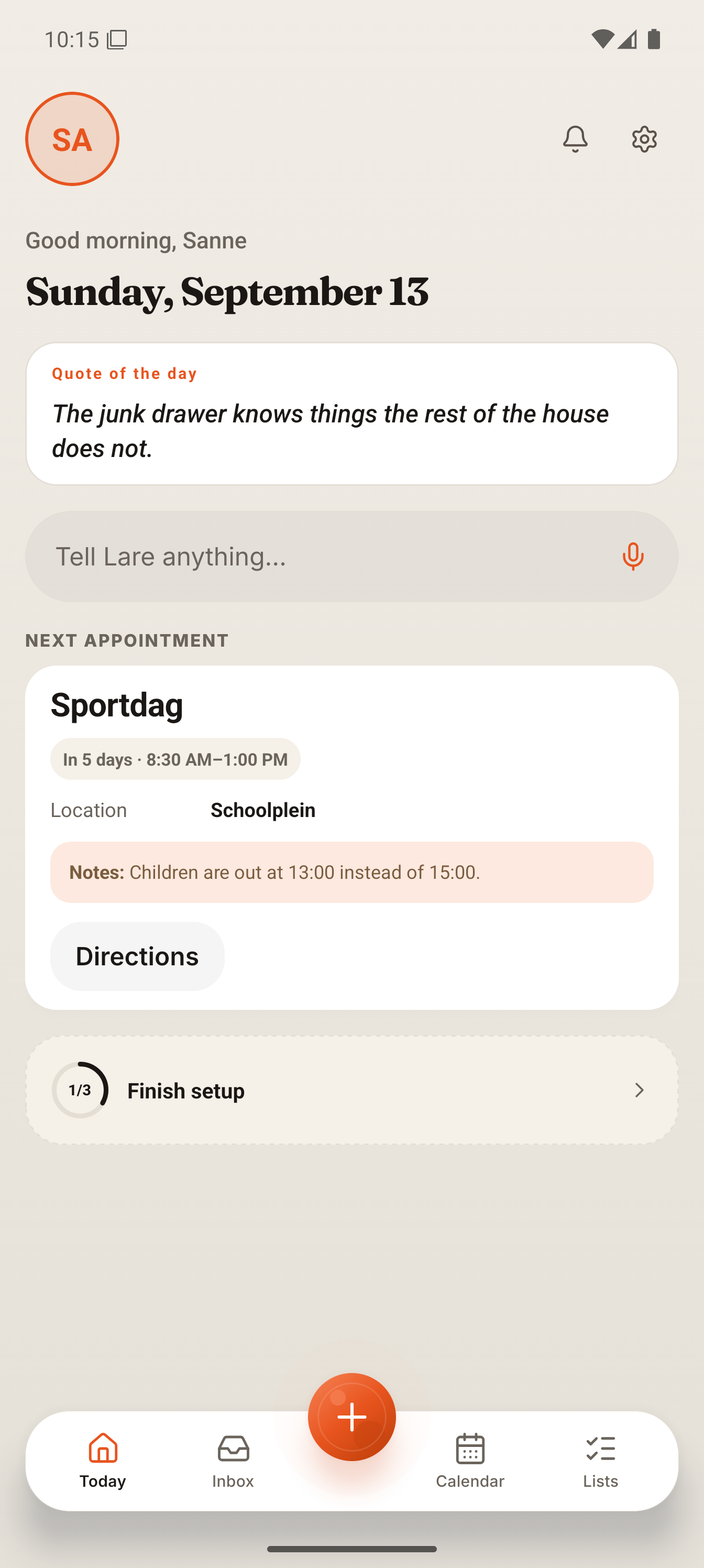
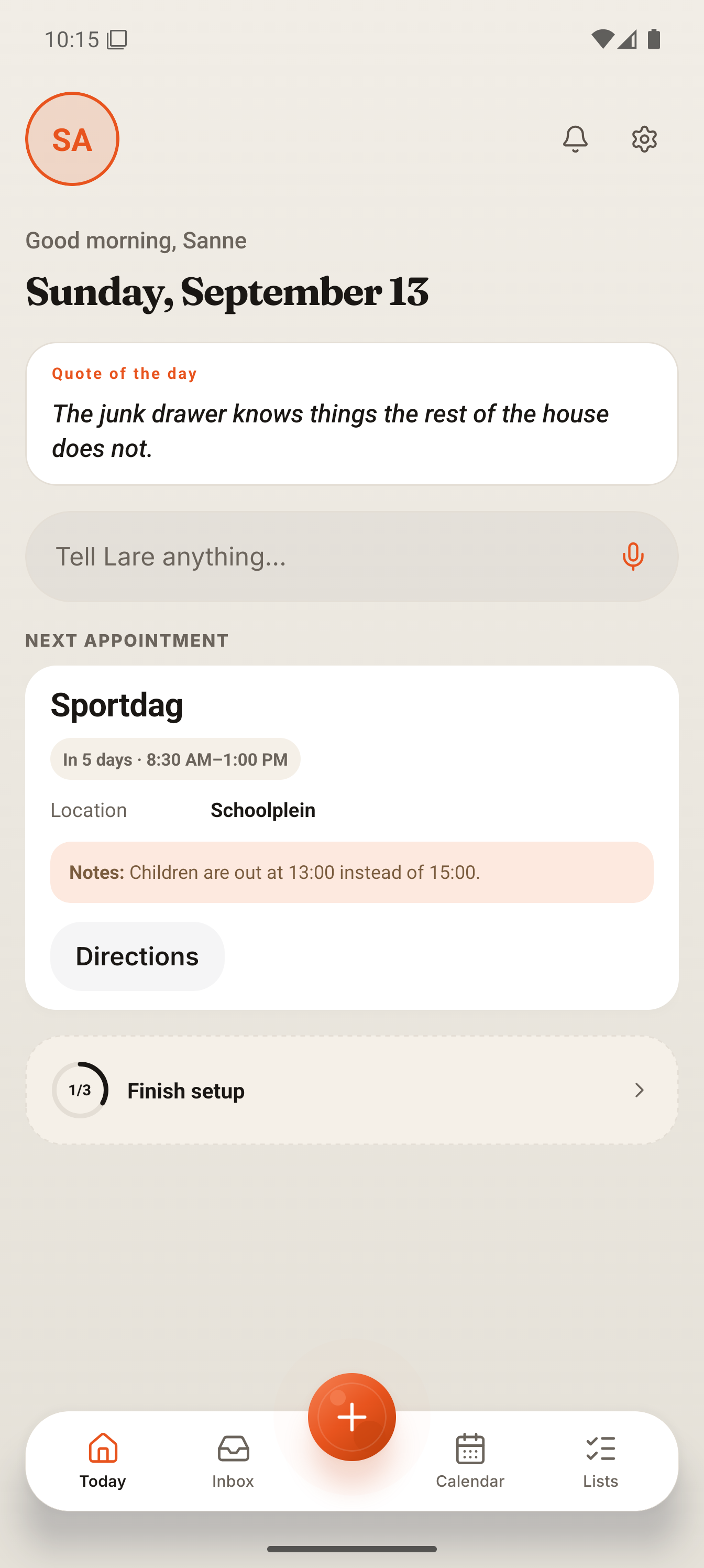
The Today screen after the sports day was approved. Screen capture from the Larevio app
The Today screen after the sports day was approved View full size

One school email. What Lare found, and what you approved.

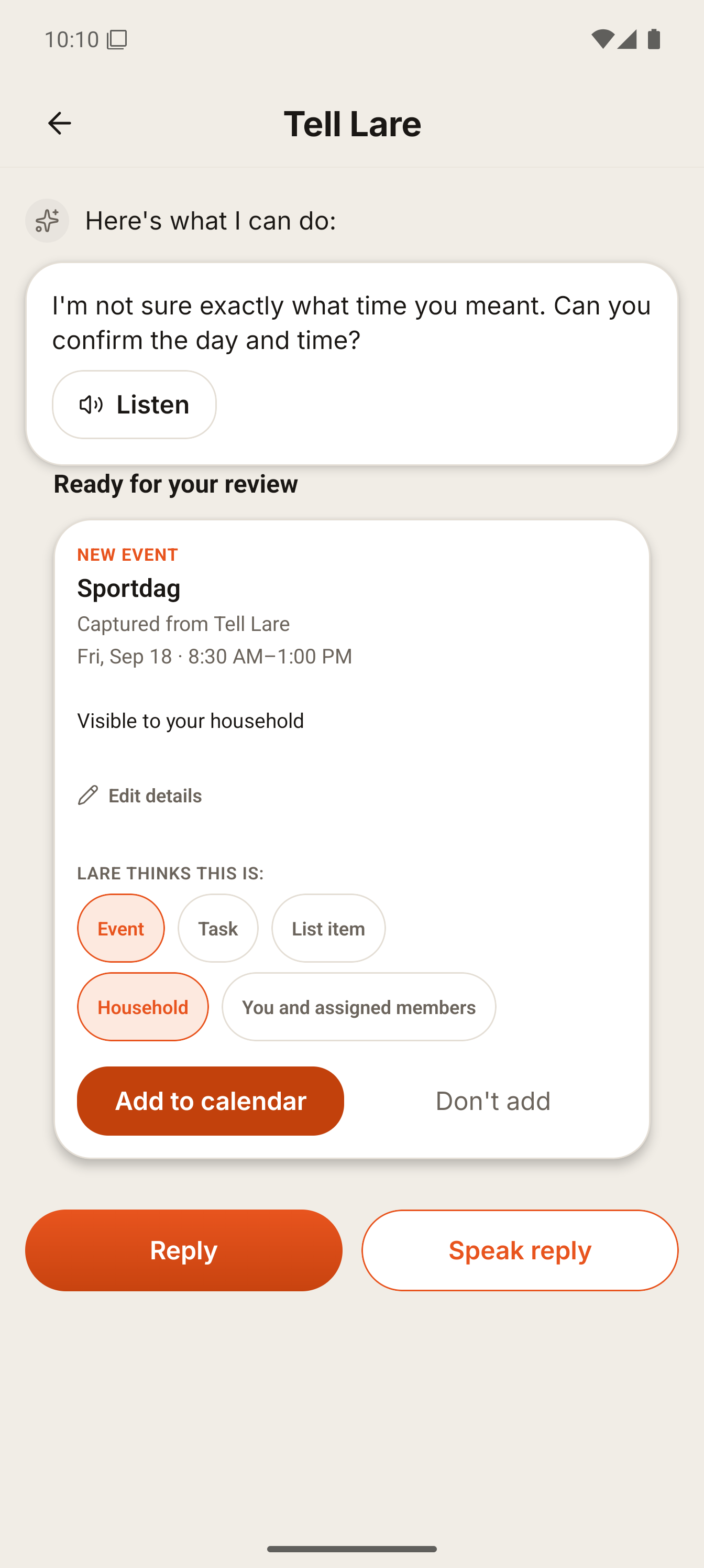
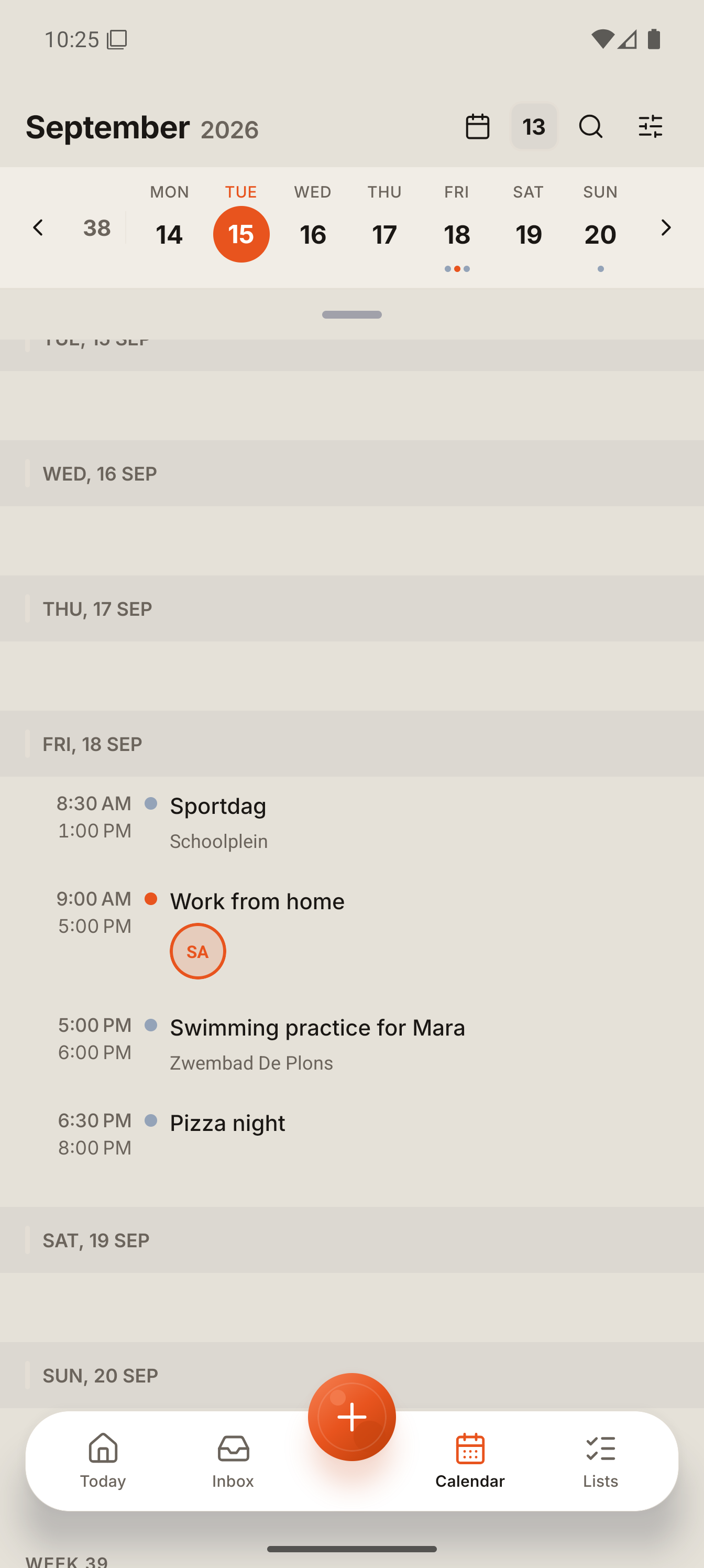
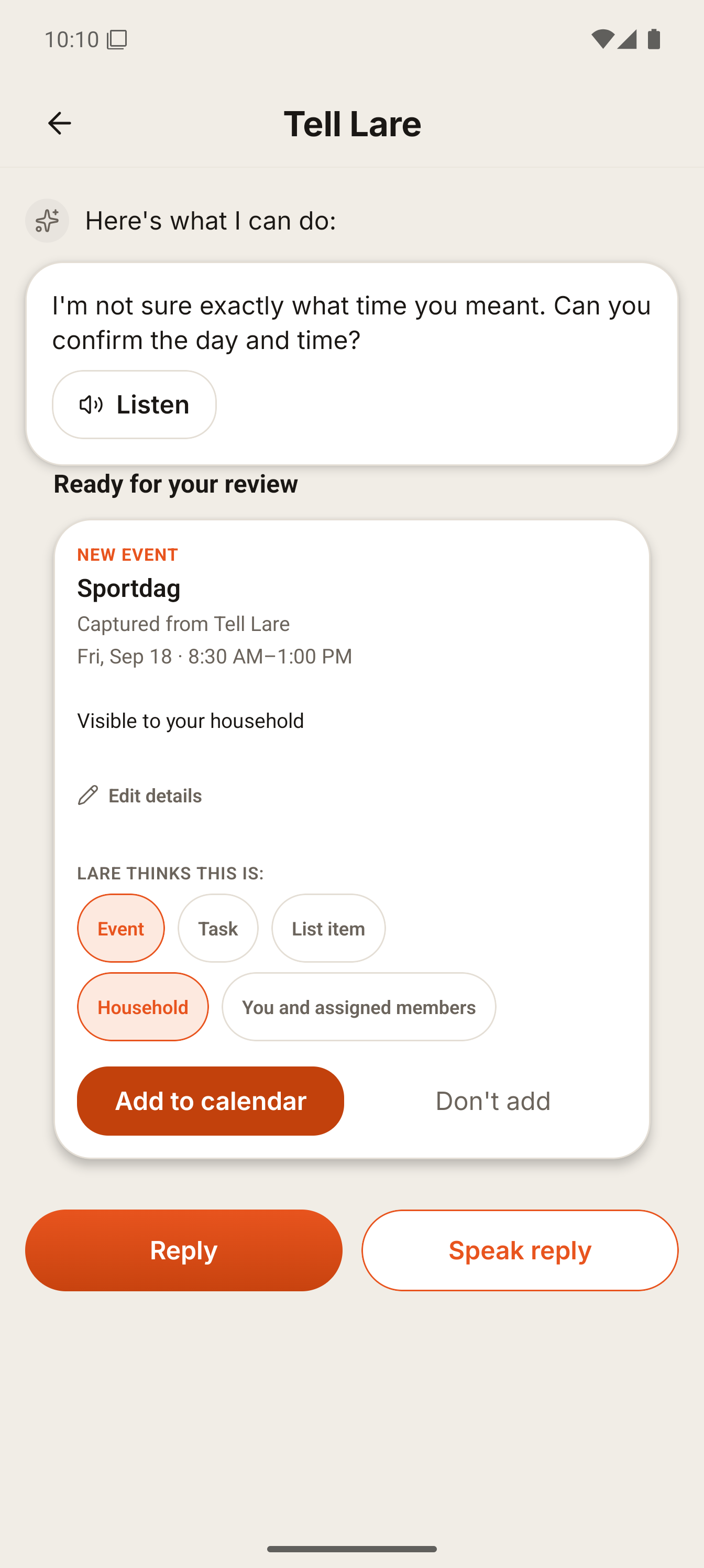
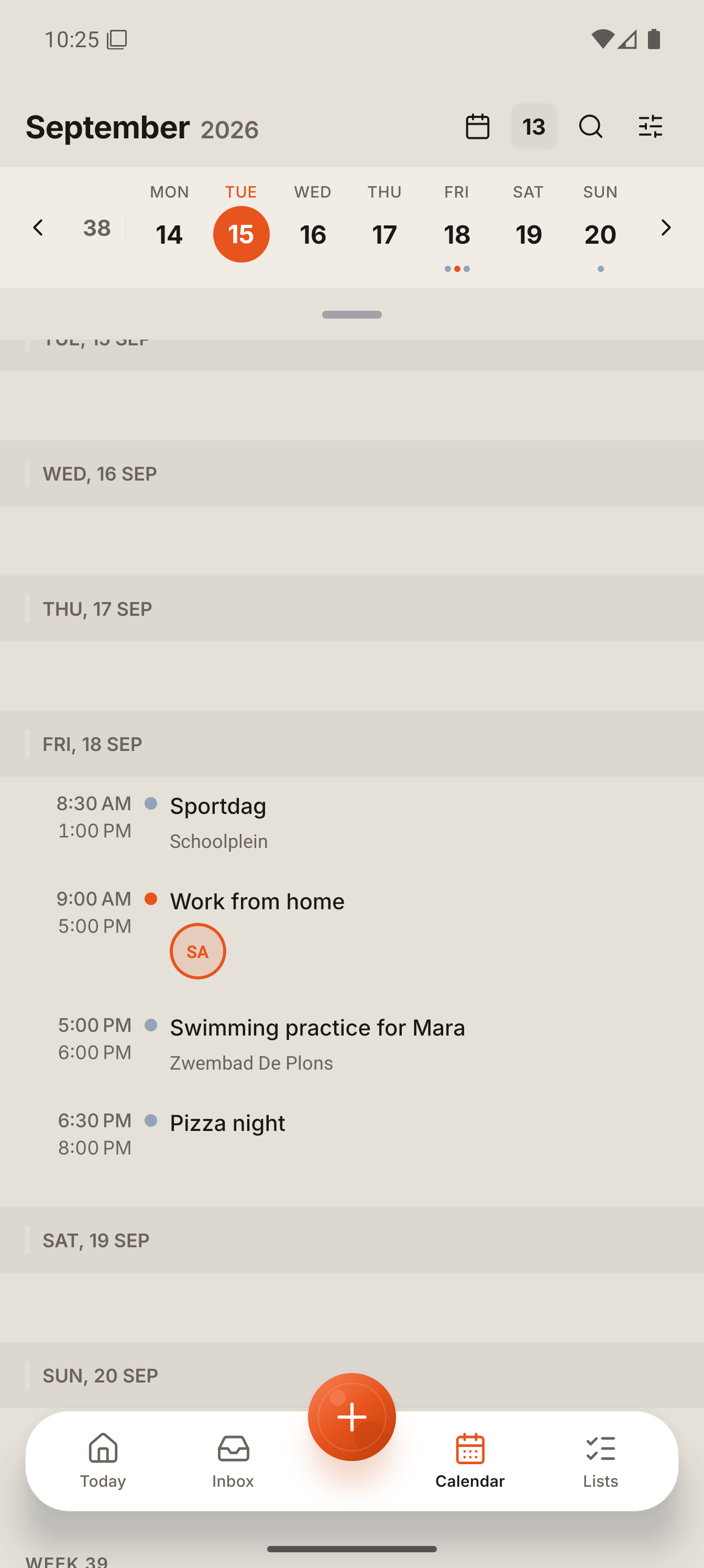
A fictional Dutch school email goes in. You check what Lare found and approve what belongs in the plan. The captures below are from the real app on a test household; the captions say exactly what each step produced.

Meet Lare, your AI family assistant.
Watch Lare handle the school email. A separate recording of the same example in the real app, using a staging test household. After the email and a follow-up request, Lare proposes the sports day and a task to pay the 5 euro parent contribution. Both are approved, then Today and the agenda show the sports day. One continuous take, no cut. No sound; captions describe what happens.

Send it the way it arrived.

  • Email

    Forward a school or club email to your family address in the app, from any mail app. How email forwarding works

  • Photo or PDF

    Attach a photo of a letter or a PDF schedule, or share it from another app on Android.

  • Voice or text

    Type it, or tap the mic and speak. A WhatsApp message? Paste it in. Larevio does not connect to WhatsApp.

Your information, in any language.

Write to Lare in the language you think in. Lare proposes events, tasks and list items in the language your app is set to, and keeps names, places and times as you wrote them. Here a Romanian message about a swimming practice became an English event and an English list item for a towel and swimming goggles.

The app is currently available in English and Dutch. More app languages are planned.

Romanian message in, English proposals out. Screen capture from the Larevio app
Romanian message in, English proposals out View full size
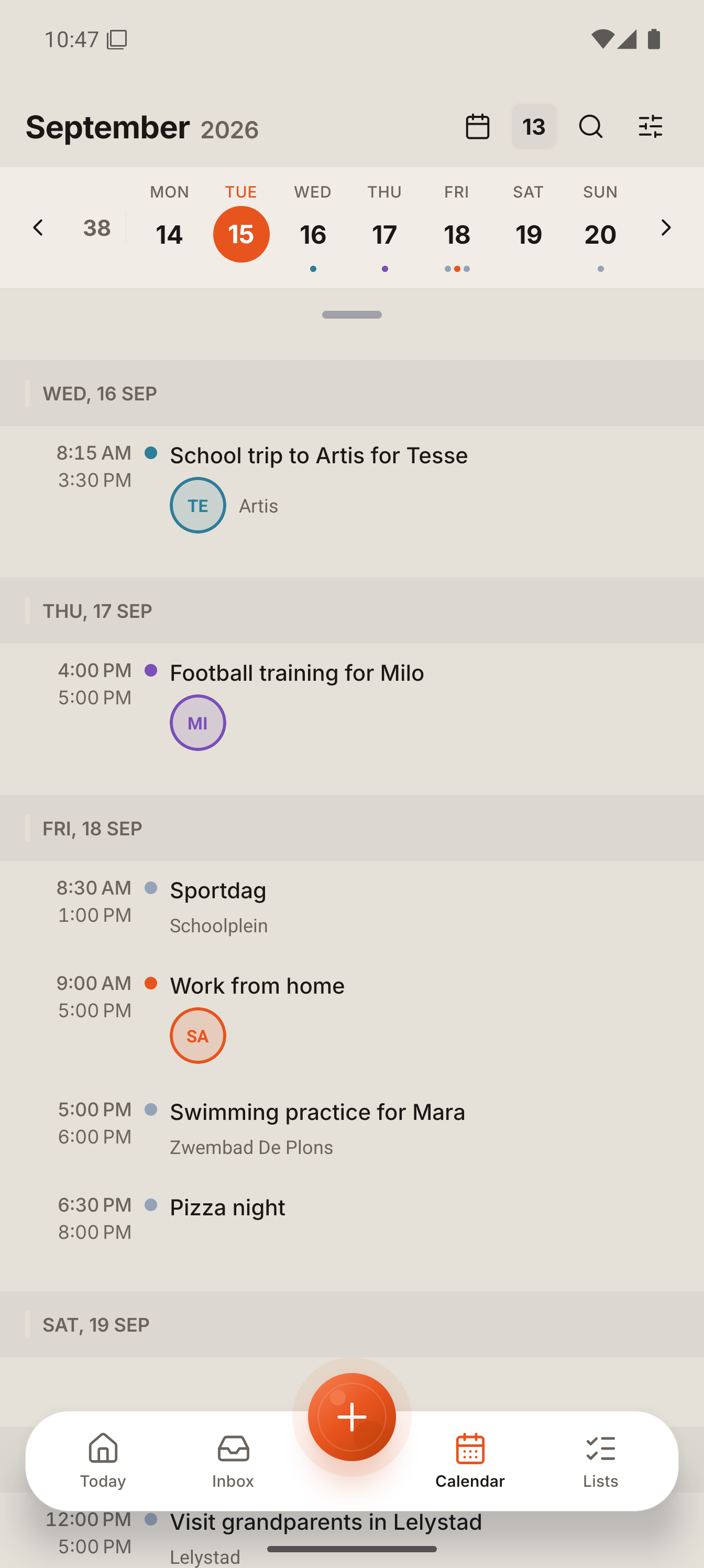
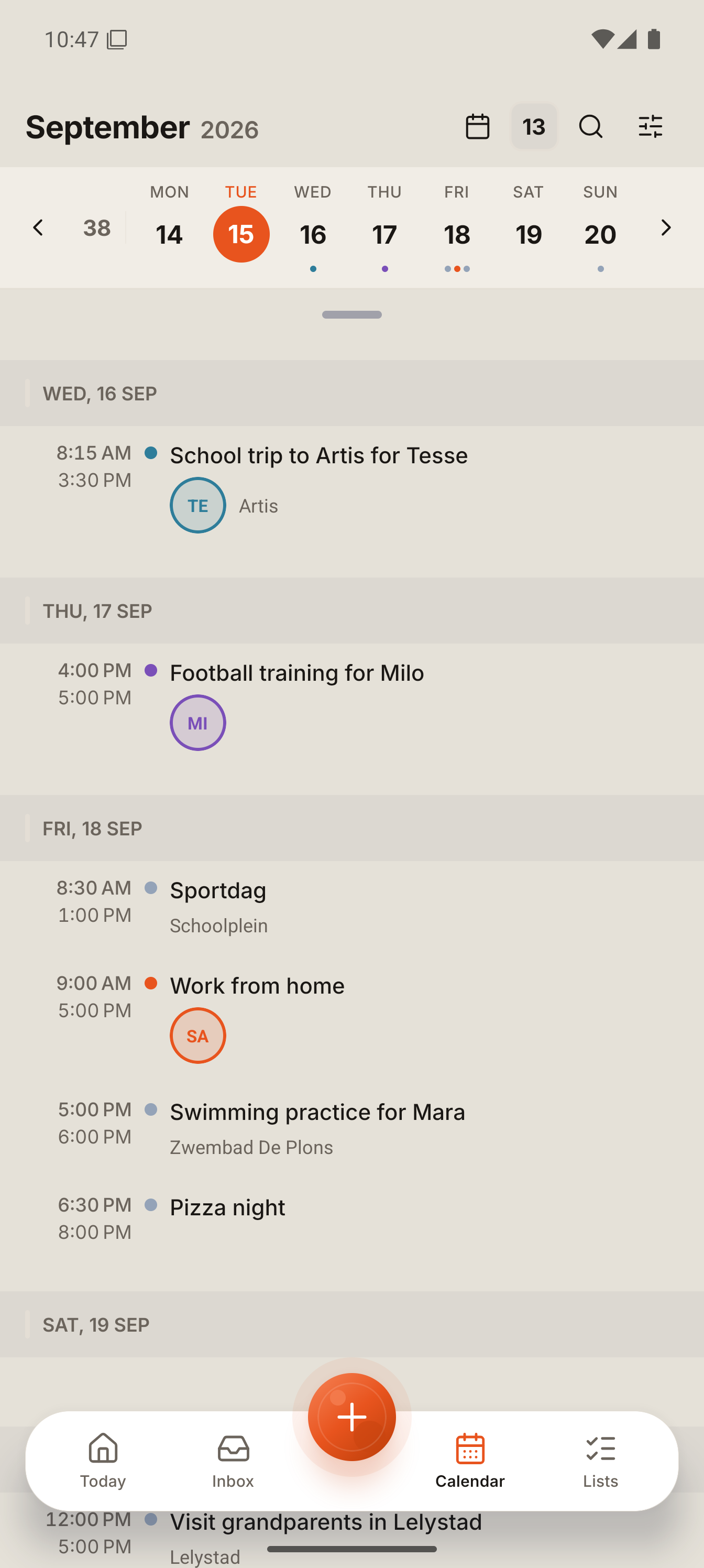
One week for the whole household, each child in their own colour. Screen capture from the Larevio app
One week for the whole household, each child in their own colour View full size

A shared plan for your household.

Share the plan and assign tasks to the people in your household. Items are visible to everyone in it, or only to you. Children are profiles, not accounts.

  • Invite another adult with a linkShare it with any app you already use.
  • Children need no sign-inAdd a child profile with a name and birthday; their events and tasks live in the family plan.

You see the source, what Lare understood, and what it wants to add.

  • Every proposal shows where it came fromEmail, photo, document or text: the source is named on the proposal before you decide.
  • Nothing Lare proposes is added until you approve itCheck the details, change what you need, then approve.
  • Calendars you connect are yours alreadyEvents from a connected Google or Microsoft calendar are imported as they are, without review.

Works with

Works with Google Calendar and Microsoft Calendar, with Outlook Mail and with any mail app you forward from.

Connections and limits

No ads, no data sale. Your family's data is shared with your household and processed only to give you the features you use. How your data is processed

Built by a father who kept missing things that mattered.

School messages, appointments and activities were scattered across our apps. I built Larevio to turn them into a plan my wife and I could check together.

Razvan, father, husband and founder · Read the whole story

Questions about Larevio

Does anything get added automatically?

Nothing Lare proposes is added until you approve it. A calendar you connect yourself is different: its events are imported as they are, because they are already yours.

Can I send information in a different language from the app?

Yes. Send a Romanian or Dutch message while the app is set to English and Lare prepares the event, the task and its reply in English. Names, places, dates and times stay as they were. The message itself is not attached to the saved event or task; the conversation is kept for 30 days under Settings, your profile, Account & security, Lare transcripts.

Which languages is the app available in?

English and Dutch today. More app languages are planned. A translated website page does not mean the app already speaks that language.

Do I have to connect my mailbox?

No. Forward the emails you choose to your family address in the app. With Outlook you can also let Lare read only the senders you allow.

How does inviting work, and how big can a household be?

Share an invite link with any app you use. A link works once and expires after a week. A household can have up to 8 adults and 12 child profiles.

How much does it cost?

Every household starts with a 30-day Welcome Starter Pack, then continues on Free. Plus and Plus Max cover the whole household and differ only in how much Lare can do each month. Prices are shown in the app store before you buy.

Is there an iPhone and an Android version?

We are building Larevio for both. Join the waitlist and we will tell you when your phone is ready.